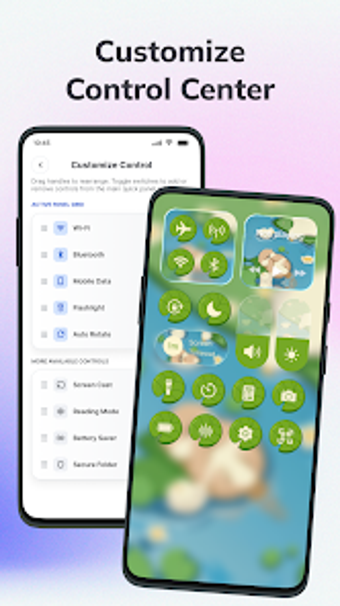
Control-panel customizer with extensive theme library
CustomPanel: Widget & Themes, by 360Gaming Time, is an Android personalization app that replaces the device control center and home-screen elements for users who like visual and functional adjustments. It exposes themed control-panel layouts, widgets, quick system shortcuts, and integrated utility tools so people can shape both appearance and access to common actions. The app targets Android users who prefer hands-on customization rather than default system panels.
What the tool changes about the control center and home screen
CustomPanel replaces the standard quick-settings and home-screen access with a themed control panel and widget set, positioning itself as an all-in-one interface modifier. The app combines visual skins and functional tiles so the control surface and nearby widgets behave as a single workspace. That consolidation is presented as an alternative to switching between separate launcher widgets and the system quick-settings shade.
How deep the customization options actually go
The app delivers a wide selection of editable elements: theme designs, widget types, icon packs, and edge triggers. Key capabilities include:
- More than 200 panel themes spanning minimalist to neon and anime styles
- Battery, calendar, and multiple clock widget types
- App icon customization with support for external icon packs
Is setup and daily use approachable without technical skills?
Installation targets standard Android devices and the app does not require root access, so casual users can install it from an app store and begin configuring panels. Daily controls expose adjustable edge-trigger settings for position, color, and transparency to summon the panel. The interface groups shortcuts so users can add, remove, or rearrange control buttons without editing system files.
How the app handles utilities, storage tools, and compatibility
CustomPanel bundles utility tools directly into its interface, including a Smart Cleaner that detects duplicate photos and large files and on-screen screenshot and screen-recording utilities. The presence of these utilities centralizes maintenance tasks inside the custom surface rather than separate apps. The app is published for Android devices; specific behaviour or feature availability can depend on device model and Android build.
Practical option for customization-minded Android users with device-testing advised
CustomPanel is a practical choice for users who want concentrated control over their device interface and prefer a single place for quick actions and minor maintenance. Because some capabilities depend on device model and Android build, testing the app on the intended handset is sensible before committing to extensive layout work. Users who prefer minimal configuration may find the breadth of choices more than they need.